Axis & Allies .org Forums
    • Home
    • Categories
    • Recent
    • Popular
    • Users
    • Register
    • Login
    1. Home
    2. Black_Elk
    0%
    • Profile
    • Following 0
    • Followers 5
    • Topics 100
    • Posts 2,096
    • Best 184
    • Controversial 0
    • Groups 6

    Black_Elk

    @Black_Elk

    24 22 21 19 15 14

    282
    Reputation
    865
    Profile views
    2.1k
    Posts
    5
    Followers
    0
    Following
    Joined Last Online

    Black_Elk Unfollow Follow
    24 22 21 19 15 14

    Best posts made by Black_Elk

    • RE: New TripleA Map UHD World War II Global

      Right on!

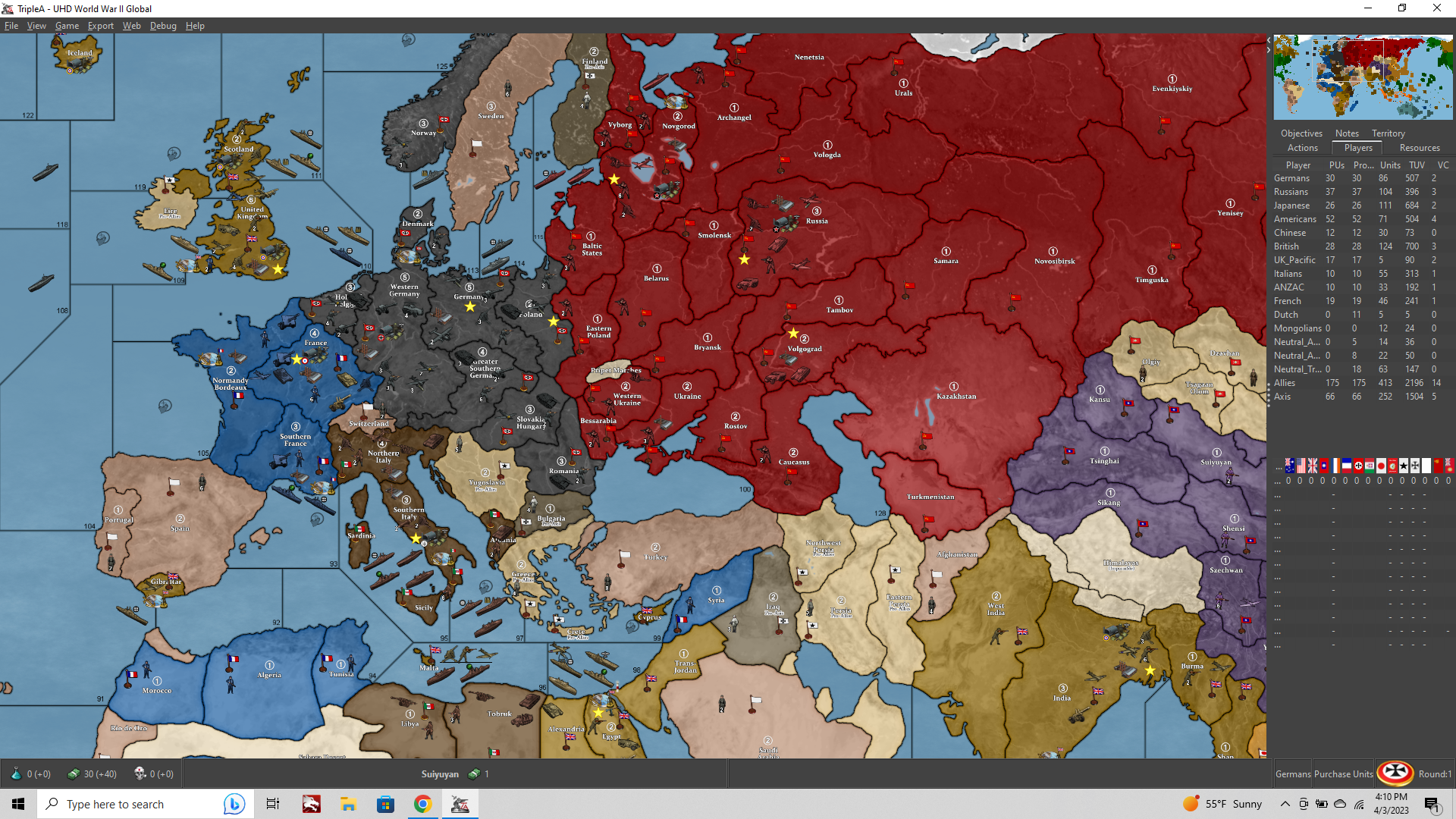
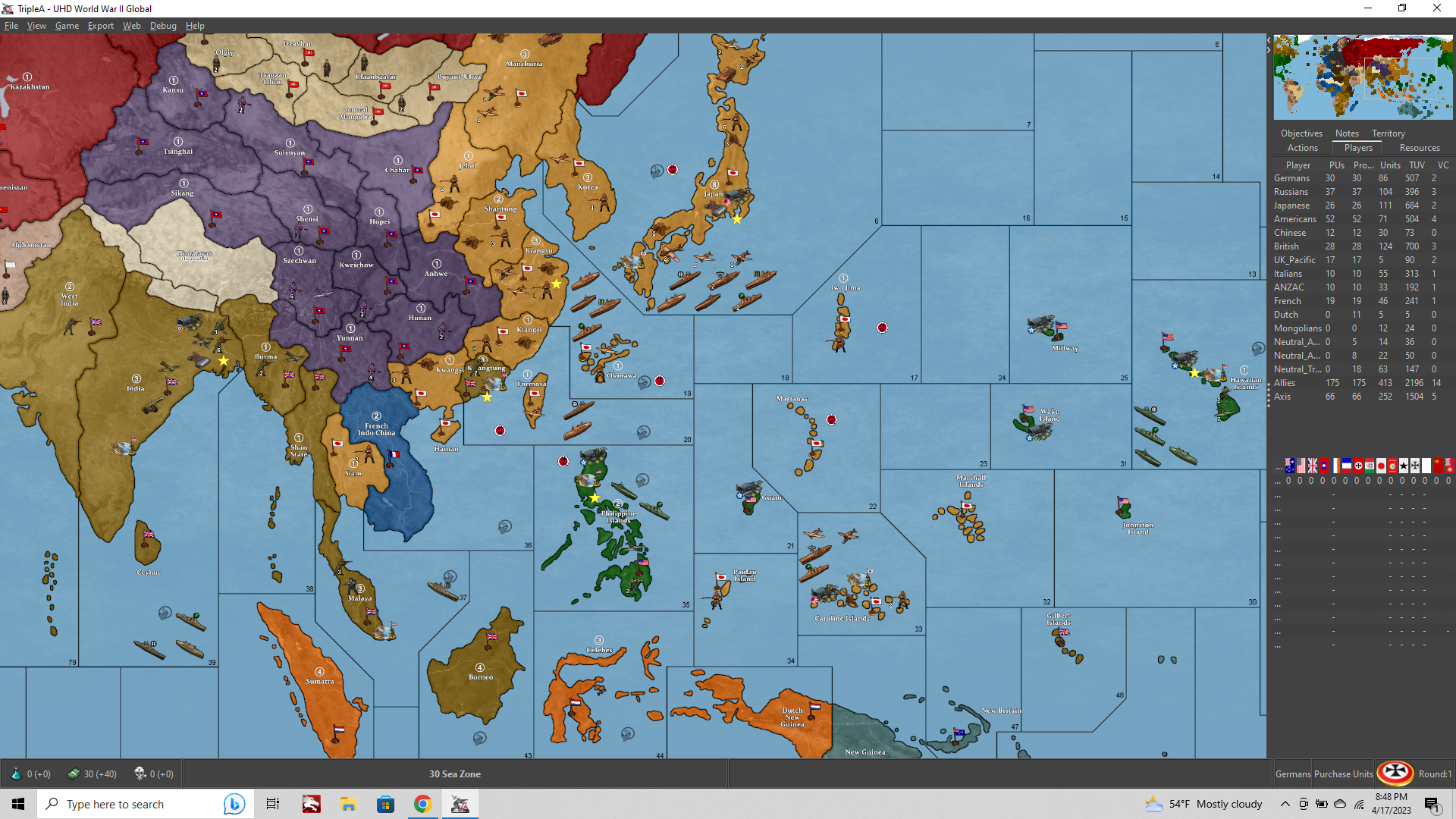
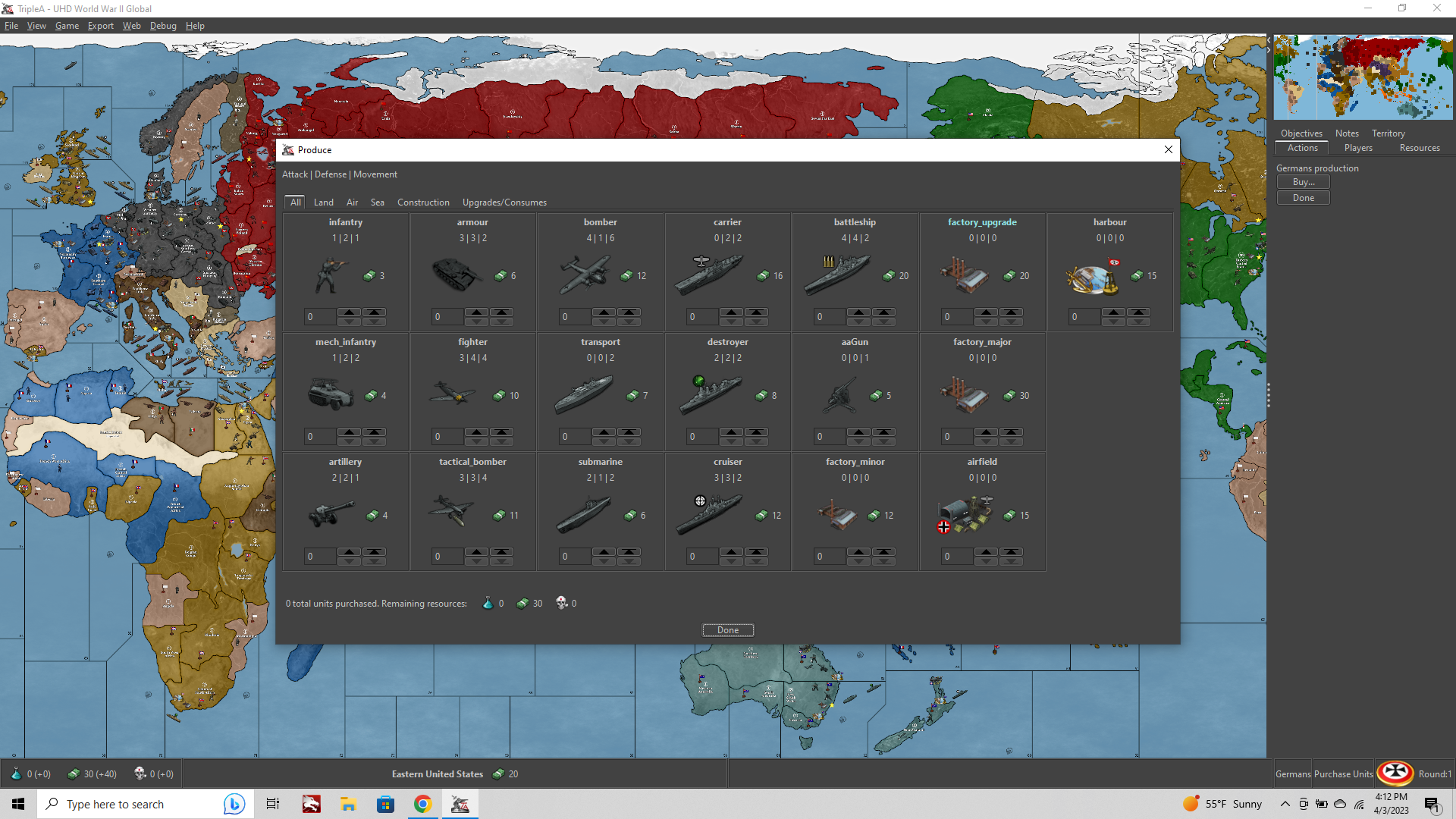
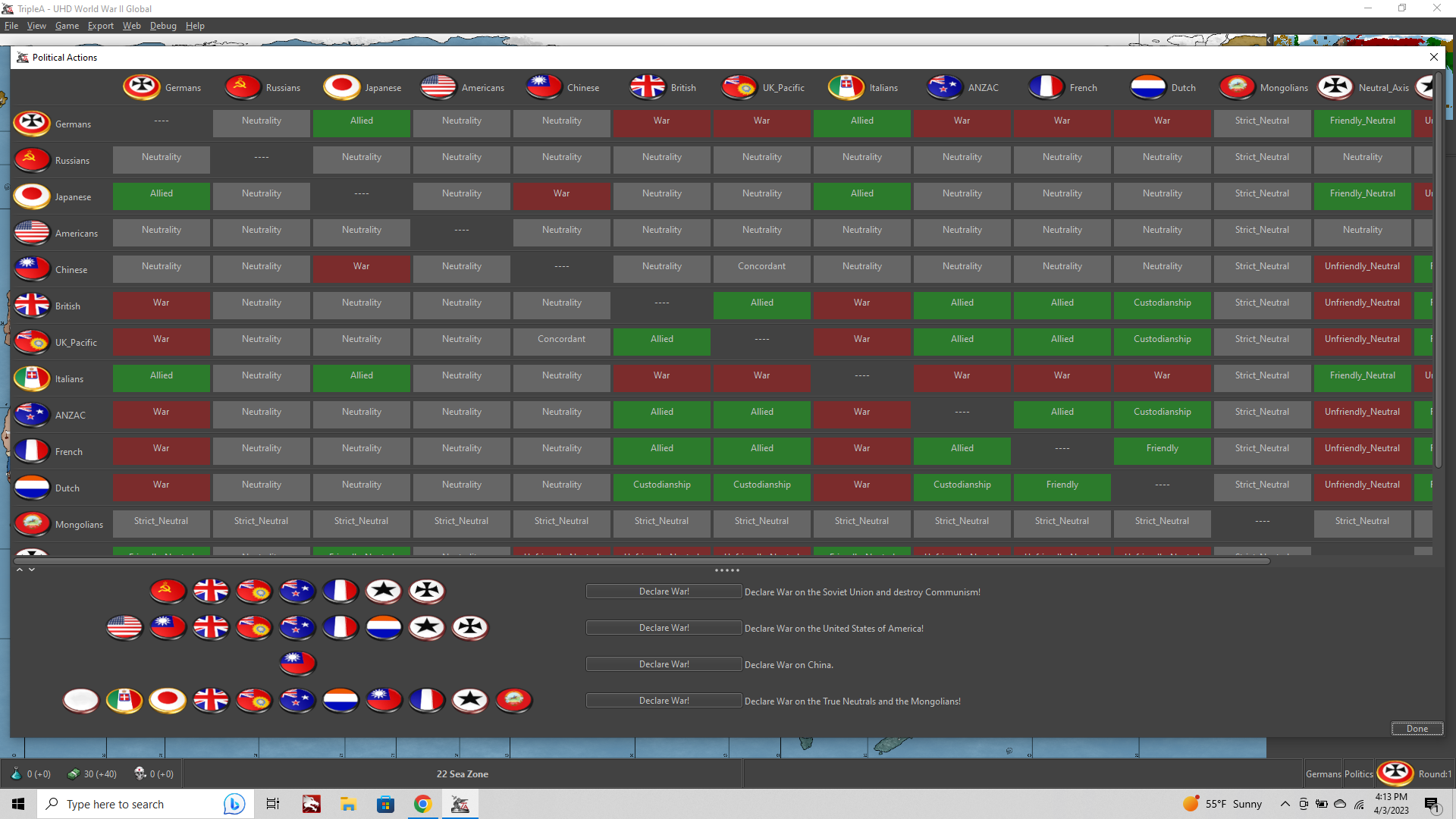
      Here are a couple screens…

      d227e1d4-5e14-4b63-b50f-fcfec573a5ad-image.png

      a55d9a2b-537e-43f6-9018-8f9b0c6b8420-image.png

      d87e96e3-e4d0-4822-9a63-77b9746f5072-image.png

      3db9872b-14d1-48a8-9779-4baa148d6d5e-image.png

      To change the national ownership colors, you can open the map.properties and adjust the Hex color codes there to suit your taste for the overall color palette. Like if you prefer more pastel colors and such. UHD basically just means that it’s an upscale to support larger displays. If playing at 1080p probably map view zoom 50%-80% is the optimal range.

      The unit folder contains a sub with some extra 54px graphics, some flipped orientation alts for the Frostion unit set, tech expansion type units etc. as well as the older standard 48px unit graphics. Should be compatible for the standard global mods and v3 with a little tinkering. Unit viewsize is at 120% by default for the 54px units (it’s the largest we can go right now) so for the older graphics might make sense to upscale them if you want to use, but hopefully the new ones look cool hehe.

      Labels and most of the decorative stuff are upscales from the current global from Veq and Bung. Unit/flag artwork is mostly Frostion’s with a few adjustments/additions to round em out for tech and such. Hepster helped me to dial the map projection for the baseline. Some stuff there is abstracted to service the gameplay. There are some cosmetic additions to incorporate extra island groupings and smaller tts as well, these were assigned to neighboring tiles so those connections are purely cosmetic (ex N. Sakhalin=Amur, S. Sakhalin=Japan with no connection along that border). Similarly Aden=Br. Somaliland, Trucial States/Basra were assigned to E. Persia (no actual connections to Iraq/Saudi). Falklands to Brazil, along with any other stuff in Caribbean to USA aegis there. Basically just for the visual. Sierra Leone was included as British. If you want to turn that off you can Edit mode> and assign the TT to neutral, but it’s Brit by default here. If you want to replace any labels these can be found in the Misc folder. For ex you can change “United Kingdom” to read England and Wales, or “Scotland” to read Scotland and N. Ireland, or make other labelling tweaks of that sort by substituting those graphics. You can also blank all the labels by changing the name of the Misc folder. The under terrain image and baseline map are included too, in case people want to mod em, or generate new reliefs using those materials.

      Hopefully it’s fun!
      Enjoy

      posted in TripleA Support
      Black_ElkB
      Black_Elk
    • RE: Advice to Renegade! What is on your top 10 for adjustments to G40 3rd edition?

      So the Q was for Global 3rd Ed, but while we’re at it… I just got 3 to add

      1. A legacy version of the base game (midscale board), that is simply called “Axis and Allies” ie don’t include a start date year or an edition number in the name for that one. It should present as the basic starter set. Provide unit set ups for a couple dates like AA50 did, but do that in the manual instead. The idea being that it’s easier to re-print or revise or download material for unit set ups in a manual than on cards/boxes. So you could do 1942 as the default, but also 1941 or 1943 say, just by referencing a page in the rulebook.

      2. Axis and Allies Global - Sell it as a single complete game, rather than 2 separate theater games. For packaging maybe have 1 box be for the maps the cards and all the paper stuff, and then have units sold separately? I think the players that are most interested in the more advanced game just want G40, rather than Europe and Pacific 1940. By selling the sculpts separately there is less need to divide the boards by theater, and then it can build on the starter unit set included with the base “Axis and Allies” game mentioned above.

      3. Include a small Art book/History of the Axis and Allies game and it’s creator, including the images from all the cover boxes and such. Legacy style! I just think that would be a nice touch and cool to see.

      posted in House Rules
      Black_ElkB
      Black_Elk
    • RE: Renegade Con Virtual: Axis and Allies

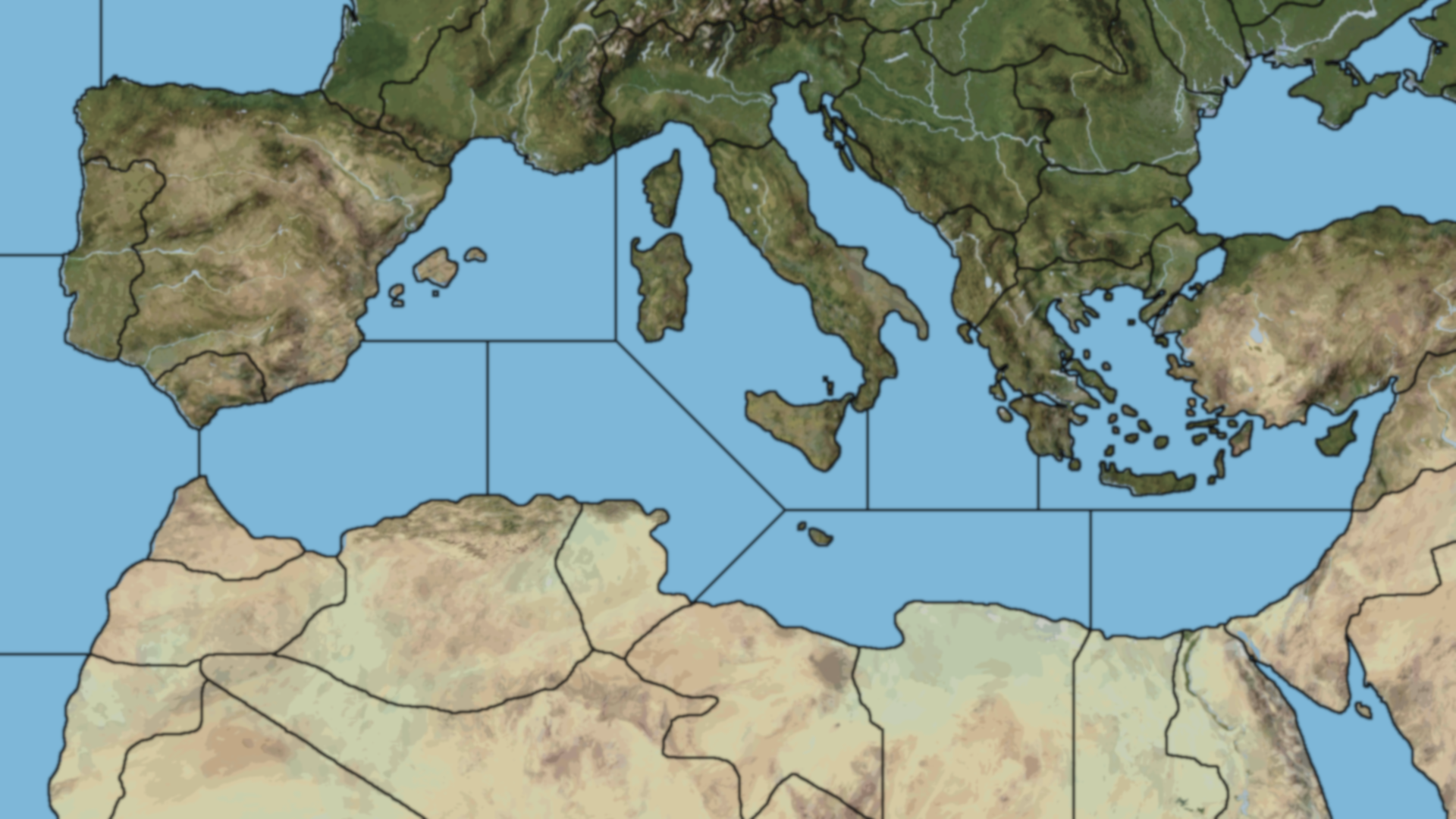
      Yeah I really like the idea of the whole med too, honestly. I noticed when trying to find a closer crop, that anytime I tried to zoom in further, it felt pretty claustrophobic and I wanted to scroll beyond the edge, like ‘wait - why stop here?’ Lol

      I think I’m too used to seeing maps of the full Med to really get past that. Also it’d be a nice touch for new Roman empire ambitions, even if that ship had already sailed by the likely start date. This would be the board where Italy really makes sense as a player nation to me, like the reason to justify the existence of all those sculpts. Whereas in AA50 and Global, it’s more of a stretch to get them in the mix in a satisfying way. I think a somewhat larger board than the previous tactical games, so they could do the full stretch from Casablanca to Beirut would be pretty cool!

      This one shows a fair bit of distortion. Europe was already warped/enlarged, so you can see Spain is a bit beefy from trying to make France/Normandy larger lol, which wouldn’t really be needed for a board with the Med focus. The other side of the Med is more compressed than it’d need to be here. But basically taking the rough G40 divisions for the TTs and SZs, and then subdividing some of those again, like 2, 3, maybe 4 times? Just to get a sufficient number of tiles and a dynamic playpattern going. Stretch-rotate or crop in tighter at the top, like right at Marseille/Milan/Istria, with an transalpine cut at the Po, but aiming to get the whole med in there somehow, with a lot more Sea Zones than shown below, clearly… hehe.

      warp detail.png

      Sneakily foreshadowing a Stalingrad follow up by showing a bit of the Balkans? The theme could still be Torch, but something with a theater wide view on the Med would offer a lot of options if it crept on the margins a bit.

      I dig the anti tank and sp artillery idea too! I played a D10 game that had them in the roster and they were fun. This scenario would be a cool one to see a jeep, and an infantry gun, and self propelled artillery. Perhaps an Armor advance towards the end where some even more boss tank types first come online. An apt scenario to do a heavy armor unlock or something.

      This one has a lot of promise! More than the reprints/re-issues, with the ‘North Africa’ game we’ll really get to see what Renegade’s bringing to the table. I’m excited to check it out!

      Ps. Random aside, but there were something like what, 10 million horses deployed in WW2 just by Germany and the USSR alone? I don’t know that we ever get that in our WW2 set piece sweeps. Except for the opening of the film Fury I guess lol. Might be cool to see one for some kind of general/logistics type bonus sculpt, where we can imagine him headed up the mountains towing a big gun in the endgame hehe.

      pps.

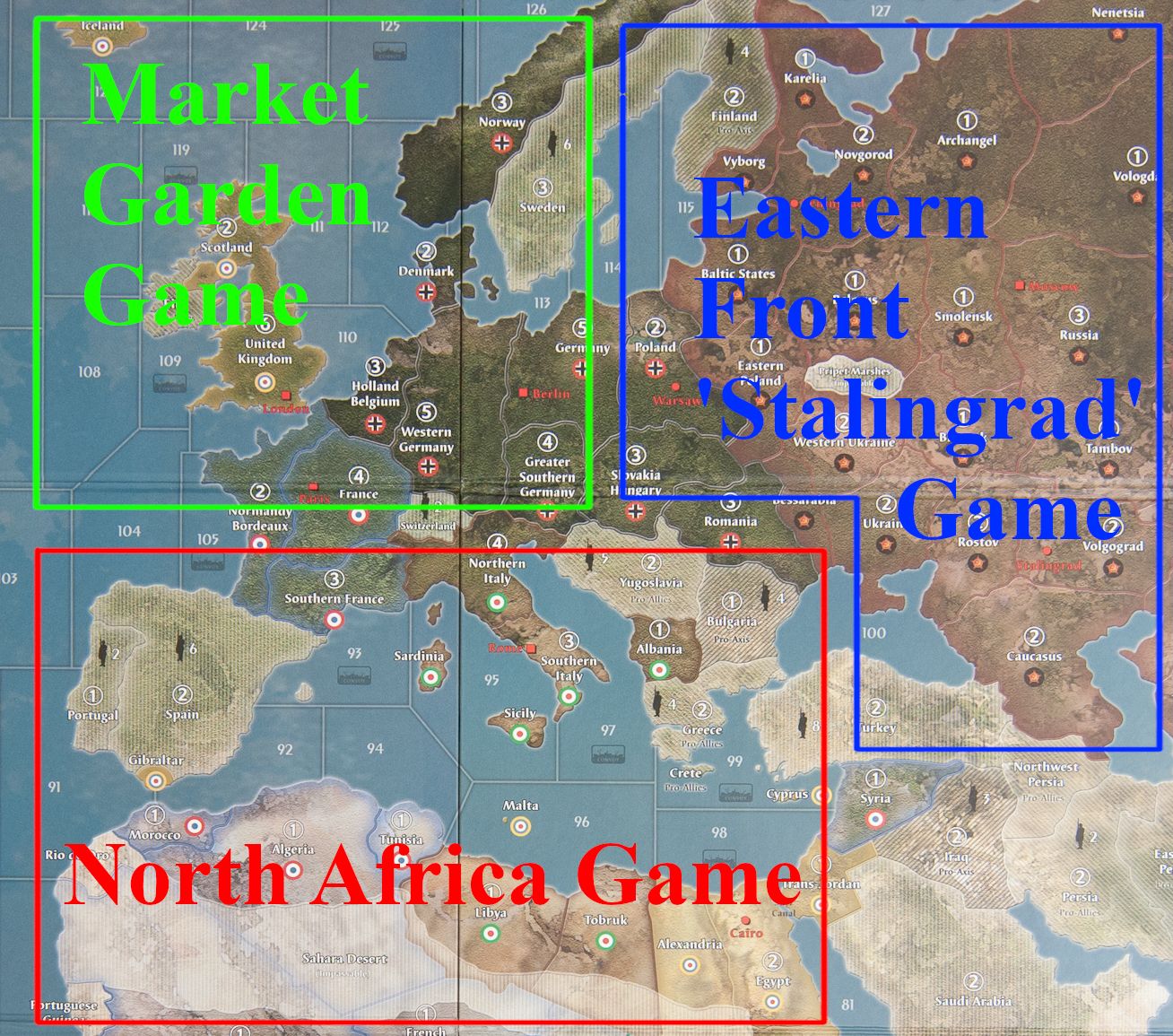
      A&Aorg Europe 1940.jpeg

      Basically just blowing out the regional theaters of the Europe 1940 board, and doing each with a bunch more TT/SZ tiles. Maybe you put them all together like Voltron for the ultimate A&AE advanced board.

      If they did the stretch on Europe a little different so you could make one larger board from the smaller theater scale maps.

      Here’s an example using Turner’s, but imagining the stretch/warp so that center dividing line is more like the Rome Berlin Axis, doing the squish and pull for a nice spread.

      turner triptych.png

      Also, I’m curious, if they’re targeting a 2024 release date, if they already have the game basically roughed out in concept form? Like if they’re already alpha testing and play balancing something? I wish they’d use tripleA for that, like at least for an informal in-house testing type thing for their design team peeps. It could be done with a fairly quick turn around I’d imagine. Digital playtesting is pretty fast. They could probably clock triple the number of test games during the same period, even if it was closed playtesting for just their employees or whatever. It’s a cool tool, and something the A&A community sorta organically willed into existence with just the heart and love of the game, but it hasn’t really been used before for a real alpha test of a new game I don’t think. Although that would be kinda rad. Like it’s basically the role the thing was designed to play, as a map/game creator’s resource to trial the rough drafts. They could use the map creator tools to create a quickie templet, then use that to iterate in alpha. They don’t need to publish it that way, but they could test it like that. Since they can alter board states via edit and save stuff out locally.

      Have Beamdog do the polished version with the UI that peeps are used to from A&AO with all the branding for the competitive digital play, after the honeymoon launch/CON FtF period, but by holding a digital AP run before the physical product goes to the actual printers, they could see if there are any big issues and shore em up way early. Like long before it hits the presses, after which point revisions have to be issued via errata. Just do the FtF and digital testing concurrently in-house to catch the breakers and shore it up. They could do that basically soon as they got their map ideas and unit roster ideas dialed. Like just pick someone on the team and have em learn the quickie creator tools to do the xml stuff hehe. Wouldn’t look as pretty, but it would work for the alpha drafting at least, presumably with rules similar to what we’ve seen up to the G40 level. Probably a pipe dream, like normal trend seems to be the opposite direction, but still, maybe Renegade will go renegade, and actually lean into it for a change? That would be so cool! Worth mentioning at least :)

      posted in News
      Black_ElkB
      Black_Elk
    • RE: Advice to Renegade! What is on your top 10 for adjustments to G40 3rd edition?

      If I had to make a wish and just get one flagship A&A scenario, I’d like to see a map on the scale of G40, but set in 1941 with only 6 factions.

      I think the big 6 is better than the big 5, if only because it allows for parity by sides Axis vs Allies and to alternate by sides each turn.

      I don’t really want to see Italy get nixed, because Axis is in the name after all, but I think it makes more sense to have Germany and then a faction called ‘European Axis.’ This set could provide some unique sculpts and roundels that could be used for basically all the smaller Axis aligned countries, Italy at the head maybe, though not just Italy, but Finland, Hungary, Bulgaria, Romania whatever. Basically you do some purely decorative design elements like mini flags, and then a more generic sculpt set with specialized flavor, like say a couple alt infantry or air types, stuff like that to cover the bases. Then have this player ‘nation’ catch-all faction come between the turn blocks on the Allied side. Basically removing the piggy back into the next round for team Allies, so both sides are more even that way.

      On the Allied side you could obviously do the same with China, but it might be interesting to just see the Allies framed in the same way, again where the material for the smaller factions is done up with the decorative map elements with specialized flavor but folded back into one of the big 3 turns. So basically Anzac folds back into Britain, China folds back into USA. Or France into USA, or either of those into the Soviet turn block to maybe make it more interesting? I guess whatever makes the most sense from a “game seat” position might be good there. I can see advantages to maybe randomizing it too, like which of the Big 3 gets which of the Little 3 might be a thing that is determined by a roll or something on team Allies, just for flavor? But anyway, main idea being to keep the turn blocks down to a 3v3 exchange and no more. Basically 3 outs per game round. I just think that’s a good way to go.

      The reason I like 1941 over the high water mark 1942 opener, is that mechanically the game always has the Axis side expanding early as the way to get a rough parity by sides going into the second and third round. That just feels more appropriate to 41 for me. Like if you have it open with a bang and the Axis side achieving that high water mark in the early rounds it feels more like the march of history, rather than starting from that high water mark and then vaulting like Shamu even higher, expanding massively into uncharted territory right at the start. You know where like Italy rules Egypt and Japan crushes into Siberia and India or whatever, because that’s how far they need to go to get into break even territory hehe. Like it’s all well and good if the game gets there after many rounds, but just not to have the balance tip too hard like that right away. Better, if the Allies are going to be on their heels in the opener, to pick a date where that vibe hums. Also helps I think with the sense of progression of game-time in the player’s imagination. Early enough for a total war start with some space to operate, but not so early that you have players waiting on the sidelines forever before it gets interesting.

      I like a big map, with more unit types, cause it’s hard to go backwards there at this point. I’m used to Artillery and Mech and such and they’re fun units, but trying to keep everything else as simple as possible so that has some room to breathe and isn’t eclipsed by too much other stuff going on at the same time. More starter set focus. It can always morph from there into Expansion territory with add-on materials and more nuanced rules. I think I’d be a little bummed if it was just a bunch of re-releases without any revisions. Like I could imagine a vintage 1984 reissue, but that’s not really what I want. Basically I want “Classic, but Global” if that can just somehow be a thing heheh

      posted in House Rules
      Black_ElkB
      Black_Elk
    • All the Russian openings: For Begginers

      So you just bought the Axis and Allies game 1942 second edition, the latest 5 man world theater game… Congratulations, good call!  :-D

      Perhaps you’re returning to A&A from one of the older games, or maybe this is your first time. Either way, now that you’ve studied the map, got the pieces all laid out, and have finally puzzled your way through the rulebook, its time to dive in and start thinking about the Russian opening! Maybe you’re pre-gaming it, looking to get a match with one of your friends face to face, or are playing WW2 v5 in tripleA vs the HardAI, to get a feel for the map. We’ve all been here at one point, looking at those Russian units and those 24 ipcs and trying to figure out the best way to make use of them. Right about now, you might be thinking to yourself that the Soviet starting position looks kind of ugly, what should you buy? and what is it you’re supposed to do with these Russians units anyway? ha!

      Well, here are some ideas about various openings that you might find helpful for the 1942 sec edition game when playing as the Soviets. What follows assumes OOB conditions, (if you know what a bid is and how to play with bids these conditions can be changed), but often times, if you’re starting up a new game with newer players in your group, explaining what a bid is can take more time than its worth, and this is already a fairly involved game. Instead, you, as the more experienced A&A strategist and the one who bought the board, can just let your buddy play Axis while you take the Russians. Sure it’s a challenge, but you’re up to it right! ;)

      But what to buy in the first round? This Russian planned economy gives you 24 ipcs out the gate, and this doesn’t allow a whole lot of room for error. Maybe infantry is best? Lets consider it for a moment…

      At a cost of 3 ipcs a pop, 24 ipcs gets you 8 infantry, and we know that boots on the ground are always important for the Russians right? I mean just throw more bodies at the problem, that’s one ready solution isn’t it? And surely infantry have the best defensive value for the cost of any unit, and provide the most hitpoints for the least amount of money. Another way to think about it is the total power that your purchased force can project: the cumulative attack value and defense value of the units in the force and how far it can move.  We often call these attack or defense ‘points’, or ‘pips’ for the purposes of fast calculation, and try to think about how much attack or defense power the units can bring to bear.

      24 ipcs in infantry = 8 hit points, with a total attack value of 8 points, total defense value of 16 points, and it can move 1 space.

      In two out of four dimensions, the 8 infantry buy does pretty well. 8 hit points, or hits that you can absorb, in terms of “fodder” with cheap infantry to protect your more expensive attacking/defending units. On defense 16 points, since each individual infantry unit hits at 2 on defense. Taken together, that’s a solid 2 hits on defense reliably, and probably 3 hits or more if the infantry is grouped together and all “dug in.” Rolling a lucky deuce or two, and that kind of infantry stacked together can be quite potent!

      But in the other two out of four dimensions, the 8 infantry buy is somewhat lacking. 8 attack points doesn’t sound all that bad at first, but when you start to crunch the numbers, you find that this only gives you a reliable 1 hit, and a “long shot” (1/3 chance) to grab a second hit on attack. And this only when the whole force is attacking at once. Sure there’s always a chance you might roll a bunch of ones, but its not a great chance, and there is of course a chance that you could completely “dud” in your attack. A lucky “one” is just harder to come by than the “lucky deuce” when you’re playing a game with six sided dice. This sort of thinking and logic has given rise to a style of play called “Low Luck” which you may want to familiarize yourself with at some point, just for reference, but similar principles apply in a normal dice game, when you’re trying to figure out what the likely chances are that you’ll get “X number of hits” in a given round of combat. Basically what you’re doing is adding up all the “hits at” values for each unit, the number you end up with shows you how many hits you’re likely to achieve with these units when rolling the six sided dice, by dividing that number by 1/6. This gives you the likely number of hits on average in a dice game, or the auto hits in an LL game, and any remainder left over can likewise give you a sense of how likely it is to pick up an “extra hit.” For a regular dice game these are just rough averages but they’re helpful when thinking about the attack/defense value of the force you’re buying.

      Finally there is the aspect that involves movement or range, which for infantry is just 1 space from where they are placed. Now when you look at the map and the production spread for Russia, you’ll see that with an 8 infantry buy, some of these units won’t be able to get into the fight immediately, because the factory in Caucasus can only produce 4 units at a time, and the factory in Karelia is indefensible in the first round, and inf units placed in Moscow will be two moves from the front during the second round. So having surveyed the situation on the ground, for the purposes of attack, buying 8 infantry doesn’t really get you the full 8 attack points the very next round. Instead you end up with just 4 attack points “at the ready”, from the infantry out of Caucasus, and the other 4 infantry units placed in Moscow will take at least one more round to move out “into position.” To defend against German counter attacks in the second round you still get 16 on defense, but from the perspective of an early Russian offensive, the 8 infantry buy nets you just 4 attack points and 4 attack fodder hitpoints “at the ready” in the second round.

      Now lets look at some other ways you could spend that same amount of money for different units beyond just “all infantry.” These are all max placement buys, where you spend every ipc with no remainder left over. Listed below with the total hitpoints, total attack points and total defense points for each buy, and finally the number of units with effective range to the front, for immediate counter attack, and the max attack power they can project the following round (during the opening salvo of the combat phase).


      Potential Builds:

      Buy: 4 infantry and 3 artillery =
      Total: 7 hitpoints, 13 attack, 14 defense
      Range: 4 units to the front (1 inf, 3 artillery from Caucasus).
      Projected Power: +8 counter attack points against Ukraine.

      Buy: 6 infantry and 1 tank =
      Total: 7 hitpoints, 9 attack, 15 defense
      Range: 5 units to the front (4 inf from Caucasus + 1 tank from Moscow).
      Projected Power: +7 counter attack points against Ukraine, or + 3 against Karelia/Belo.

      Buy: 2 infantry, 3 artillery, and 1 tank=
      Total: 6 hitpoints, 13 attack, 13 defense
      Range: 5 units to the front (1 inf and 3 art from Caucasus + 1 tank from Moscow).
      Projected Power: + 11 counter attack points against Ukraine, or + 3 against Karelia/Belo.

      Buy: 6 artillery
      Total: 6 hitpoints, 12 attack, 12 defense.
      Range: 4 units to the front (4 artillery from Caucasus).
      Projected power: +8 counter attack against Ukraine. But this build is sometimes more about the +12 against Caucasus itself, when you plan to give up the factory and then re-take it the next round.

      Buy: 4 infantry and 2 tanks =
      Total: 6 hitpoints, 10 attack, 15 defense,
      Range: 6 units to the front (4 inf from Caucasus +2 tanks from Moscow).
      Projected power: + 10 counter attack points against Ukraine, or + 6 against Karelia/Belo.

      Buy: 3 artillery and 2 tanks =
      Total: 5 hitpoints, 12 attack, 12 defense
      Range: 5 units to the front (3 art and 1 tank from Caucasus + 1 tank from Moscow).
      Projected power: + 12 counter attack points against Ukraine, or + 6 against Karelia/Belo

      Buy: 2 infantry, 2 artillery, 1 fighter
      Total: 5 hitpoints, 11 attack, 12 defense
      Range 5 units to the front (2 inf and 2 art in Caucasus + 1 fighter in Moscow).
      Projected power: +11 counter attack points against Ukraine, or + 3 against Karelia/Belo *extra advantage in light trading of territories/total unit value over time, provided by the third fighter.

      Buy: 2 infantry, 3 tanks
      Total: 5 hitpoints, 11 attack, 13 defense
      Range: 5 units to the front (2 infantry and 2 tanks in Caucasus + 1 tank in Moscow).
      Projected power: +11 counter attack points against Ukraine, or + 9 against Karelia/Belo.

      Now that’s a lot of numbers I’ve thrown around, but when you see them all laid out, you’ll notice that when you opt to buy more expensive units, what you’re doing is trading Russian hit points and defense points, for Russian attack points and a greater effective range on counter attack. There is some flexibility here and a little room to pick and choose, depending on how aggressive you want to be with the Soviets, but there is a point at which it’s simply no longer worth it to exchange hit points/defense, for power projection on counter attack. I would suggest that if you go lower than 5 hit points in the opening round purchase with Russia, its likely that you will lose control of Moscow to the Axis during the endgame (if your opponent is fairly competent.) Even 5 hit points is rather low, and what I would consider a “gambit,” meaning that you’re counting on a fairly lucky roll with your Russian openings and counter attacks to make up the difference on hitpoints by killing German units and just losing a couple pawns.

      A 6 hitpoint purchase will allow you to project some power with counter attacks in the second round, without giving up too much defense later on. This is what I would consider an aggressive Russian purchase, meaning that you will have a decent offensive capacity if the rolls go your way, but still retain an alright defensive capacity if the rolls go poorly. The 6 hitpoint purchases are all about threatening counter attacks against an early German stack in Karelia or Belo. Trying to buy yourself one more round of trading territories, before you have give them up to the Germans.

      A 7 or 8 hitpoint purchase is what I would consider fairly conservative, meaning that you plan to play a primarily defensive game with the Russians, giving up ground early in exchange for a slightly better defense later on, and relying heavily on the Western Allies to make up the difference for you.

      Why does all this matter? You might rightly ask.
      Well basically, because what you buy with Russia will determine how many attacks you can realistically run in the first round, with decent odds of success, and how quickly your friends the Anglo-Americans will have to send you assistance to prevent your capital from being captured by the Axis.

      –--------

      Now that we’ve thought about purchases for a minute, lets look at the Russian production spread, and see how the starting factories factor into things.

      Karelia: Forget about it!  :-D There’s just no way you’re going to keep the Germans from taking this territory in the first round. Seriously, its a lost cause. Even if you took Belo and Baltic states, even if you somehow managed to sink the German  transport in sz5 with a risky double fighter attack, even if you took W. Russia light, and then blitzed all your tanks to Lengingrad on Non Combat, even if you bought 2 fighters and placed them in Karelia… its just not going to happen. Sadly the Germans will still have you beat, and the Total Unit Value (TUV) trade is terrible, not to mention costing you the whole Eastern front in the process. So just resolve in your mind right now, that Karelia is toast for the time being. Eventually you might be able to liberate it, but holding this factory at the outset is hopeless. The best you can do is trade the territory back and forth for a couple rounds, and keep the Germans from using your own factory against you! And that’s the real key, because what you’d really like to avoid here, is Germany stacking the territory on the first round. In addition to all the German units in the neighborhood, the Japanese can even reach Karelia with their Tokyo Bomber (6 moves) to put an extra defensive pip on the territory. That’s a lot of Axis units for the Russians to overcome!

      It means that you either need enough units of your own stacked against it, or you have to shave off some of those German units in your opening attacks to prevent them from going north. The latter option is particularly risky, since its hard to predict how many hits the German defender might put up in W. Russia itself, let alone Belo, or Baltic States. There’s also Caucasus, that other all important factory territory you have to consider in your opening…

      Caucasus: Don’t forget about it! :-D
      Now that Karelia is off the table, and you’re firmly resolved to just grin and bear the loss of that northern factory for a while, its time to look at that other factory down south! Caucasus is arguably the most important Russian territory after Moscow and W. Russia, not because you need the production per se, but because its very important to deny this production to the Axis. Letting the Axis gain control of a factory that boarders your Capital is just an all around nightmare for the Allied war effort, so you should do everything you can to avoid this for as long as possible. Fortunately, unlike Karelia, it is possible to defend Caucasus in the first round. Its also possible to trade this territory and recover it quickly, owing to the fact that the British are in the area and can lend a hand with their tanks/fighters if need be, but its still a good idea to keep Caucasus under your thumb. Even if you can’t hold it forever, you at least want to threaten it on counter attack with enough force to prevent the Germans from stacking there and then flying in Japanese fighter cover. Once that happens, it becomes very hard to control the center of the gamemap and your Russians will be more or less pigeon holed into an entirely defensive “turtle up” posture. This is something you might be able to manage during the endgame, once the Western Allies have some units nearby to help prop you up, but its a disaster to let happen in early rounds. Caucasus is the main objective of most Axis drives early on, and what they will try to do is force you out of this territory (often by making you choose between Caucasus and the Capital Moscow.) For your part, you’ll want to push this decision out as far as possible. The best way you can do this is to either stack Caucasus itself, or stack W. Russia and Moscow with enough troops, that any German units that move into Caucasus will be immediately destroyed the following round on counter.

      Finally, Moscow: the Center must hold!  :-D
      Losing Moscow early on, is basically losing the whole game. During the endgame it is possible to trade Moscow for an Axis capital, but in order to even get to the point where something like that is possible, you need to hold Moscow for a pretty long time. Lets put it this way, if you give the Axis a shot on the Russian capital anytime before round 7, things are probably going to end badly for Allies. So what does this mean? Well basically it means keeping Axis units more than 1 move away from Moscow, while at the same time keeping Allied units close enough that they can reach Moscow in 1 move if they have to. And frequently, it means sending US/UK units (esp. aircraft, but also ground) into Russian territories to ensure this.

      OK, that was all background and a fairly long winded way to arrive at…


      All the Russian Openings!

      The rest of this thread below will be for descriptions of specific Russian openings, from basic/general stuff to the more complex, and I invite anyone else here who has thoughts on the subject to post those here as well. TripleA saves would be nice if you want to share examples. I’ll start us off with one of the more popular…

      posted in Axis & Allies 1942 2nd Edition
      Black_ElkB
      Black_Elk
    • RE: Argo's Middleweight Map for 1939 & 1942

      @Argothair

      Point 3 is major. I remember bringing it up on the Larry boards and trying to explain the merits of that approach back before AA50 came out, since we had tried it with Midway and a couple other spots in Pact of Steel and I thought it made things a lot more interesting. But he seemed pretty committed to his definition of an island being entirely contained within a sz (despite UK breaking with that definition all along.) Anyhow, I think the gameplay is more dynamic for island hoping and naval cat and mouse when they straddle the sz borders.

      For colors I don’t have a strong opinion when it comes to individual nations, but I guess I do have strong opinions when it comes to the overall color scheme for the whole, which I’ll elaborate on here in a sec. In tripleA its easy to edit the territory colors in the gamefile hex code on the player’s end, though much harder to adjust the color for the unit graphics themselves, so I guess that is something to keep in mind. One thing I’ve found helpful in the past is to differentiate the various national colors on 2 out of the 3 color dimensions. Color pedantics to follow hehe…

      So for any color you have Hue, Value, and Saturation.

      Hue just means ‘color’ in old english, which isn’t very helpful, but it basically refers to position in the rainbow, roygbiv.

      Value is often described as the position along a grayscale, from white to black or tint to shade.

      Saturation or Vibrancy is the intensity of the color, or how much light it kicks off. They are basically synonymous but sometimes vibrancy is an easier tool to work with in a graphics editor since it usually isolates the totals at one end and leaves the mids, whereas a saturation tool usually moves everything at once.

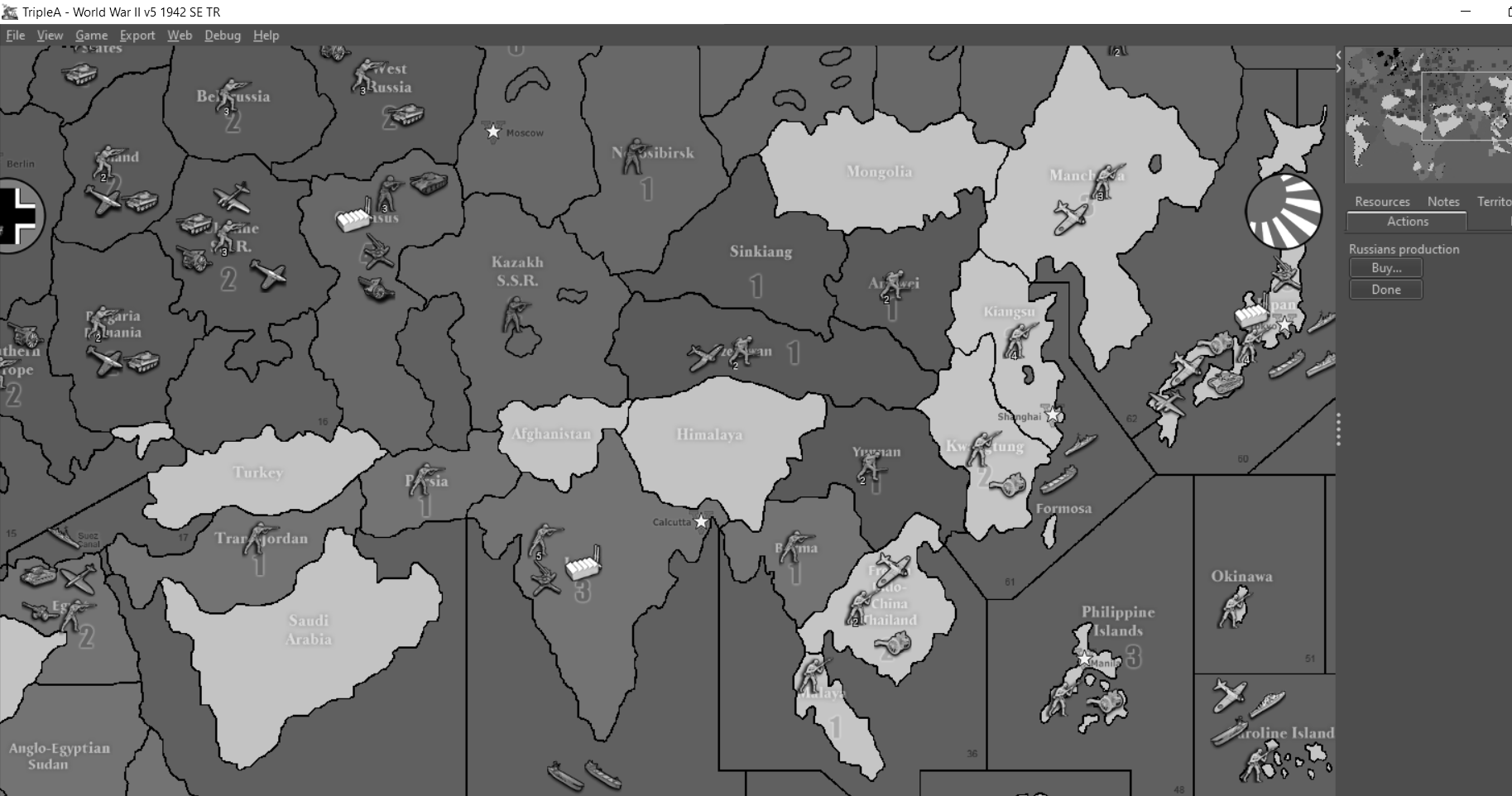
      Even people who may have trouble distinguishing Hue (red/green colorblind is the most common), will usually still be able to distinguish Value or Saturation pretty easily. I think Value is the most recognizable and easiest to work with. The quickest way to determine what Values you have is to desaturate everything and make the map grayscale. If you can still differentiate the various nations in grayscale then you are usually solid. Just note that the defaults for most nations in tripleA do a really poor job of this. Some nation’s territories are almost identical in value/saturation. Many people have a strong aesthetic preference for colors at a certain value/saturation threshold and end up just changing the hue, which can lead to everything being more similar than one might realize at first.

      In the WW2 tripleA games the color values for many nations are very similar Germany/USA almost identical, Japan/Neutral the same, Russia/Britain the same. Here with Argos draft it is divided more by side Allies are lighter, Axis darker, which I like.

      Also one last thought on color, when I made the original baselines for AA50 and the World Projection Map, parts of which have been used for various other tripleA maps, I put the ocean at a pretty light value intentionally. I honestly think I could have gone even lighter, so that nothing competed with it on the high end, and the ocean was always lighter than land. But for whatever reason someone changed the ocean to a mid-range value almost 50% gray, which was a weird call in my view. In the standard WWII maps it creates these strange visual ‘pops’, where some land territory colors are significantly higher value (closer to white), than other land tiles or than the sea (i.e. impassible neutrals, or lighter nations like Japan.) I think it is better to go way light or way dark on the Ocean color value. Below are examples of those same baseline maps I posted before, but totally desaturated to show how far you can push the value and still be blue just with hue/saturation adjustment. The last set shows an extremely light ocean color, probably about as far as I’d go before it gets obnoxiously light for me, but which would definitely allow all the darks/mids of the land tiles to be easily distinguished from the sea zone tiles, and make the overall ‘world’ of the world map feel more visually cohesive.

      I’m not 100% percent, but I don’t think the ocean color for the standard WWII tripleA maps is something that can be quickly edited in the map file (its not listed with the hex codes for everything else), and the mapmaker will take any color other than pure black/white as a sz, so its kind of a pet peeve that all those standard A&A maps use a blue that is so close in value to true gray. Basically you need to turn on map details and provide a skin to make it look better after the fact, but yeah, the default ocean color is pretty far from what I had originally envisioned before they cut up the baseline. Alas. Logan’s color choice for the ocean tiles in the tripleA Classic map was better in my view, though still a little “neon glow” for my taste, but everything recent follows the standard color choices made for tripleA Revised, which is a little unfortunate. Anyhow, I think sea zone color is an important first choice, since it carries through after you color the baseline.

      Totally on board with points 5-8. I really believe that its possible to have a more complex map (in terms of total territories/sz, or number of player nations, even the unit roster) without upending the learning curve, provided the basic rules are universal and other stuff isn’t too wild like with objectives and whatnot.

      Anyhow, just wanted to offer some encouragement. Looks cool so far

      tripleA v5 LH patch desaturated.png

      argo draft desaturated.png

      World Map-Jason Clark.gif

      World Map-Jason Clark desaturated.jpg

      World Map-Jason Clark darker blue.png

      World Map-Jason Clark darker blue desaturated.png

      World Map-Jason Clark lighter blue.png

      World Map-Jason Clark lighter blue desatured.png

      ps. curious historical aside, in western painting blue pigment was rare and so many famous painters used clever tricks to limit its use. With a limited pallet of Raw Sienna, Burnt Umber, Yellow Ocher (red mud, brown mud, yellow mud) + Black and White, you can create the illusion of blue in your grays. Rembrandt was pretty slick at it. The storm on the sea of Galilee is a fun example. Almost all the blues you see in the sky/ocean there are actually grays, but they appear blue when viewed next to the colors that surround them. I think its cool. Anyhow point being, probably way too much thought can go into choosing the blues and the grays lol, but I think its important hehe.

      posted in Other Axis & Allies Variants
      Black_ElkB
      Black_Elk
    • RE: Announcing Axis & Allies Online

      Well, I loved those old infinity engine games and black isle materials. Baldur’s gate is always one of the first games loaded on the hard drive whenever I get a new laptop, so its cool to see someone with excellent taste at the helm haha. Maybe 42.2 has legs after all? I’m really pleased that one of these games is getting the official treatment. I gotta imagine there’s a fair amount of overlap between the peeps who got into D&D via those crpg games and peeps who might get into A&A with a digital introduction to the rules and such. Sometimes the table top can be intimidating for newbies and it can be challenging to connect with other like minded players face to face. But we buy the physical boxes at the same shops, so seems like it could work. I’m intrigued by the asynchronous play concept, and how a digital version might be used to help cement the ruleset or official updates to the setup and the like. Definitely cool news. Anything that gets more people interested in Axis and Allies, and a way to keep the franchise kicking. Especially if it leads to new boards or other boards like AA50 or 1940 getting a similar translation. I think hardcore vet players will be looking for different things out of the engine than players brand new to the game, but either way its still good news for those of us who like the digital format.

      posted in Blogs
      Black_ElkB
      Black_Elk
    • RE: House Rules Compilation & Discussion: Oil!

      Cool thread! I haven’t kicked around here in ages, but I like the concepts above.

      Haha yeah, I’d say Iron War’s scheme would be tough for a physical board. The Fuel=Unit Movement concept works ok in game with the aid of the computer, machine doing all the counting and such, but tracking it as a separate movement related resource is more than I’d want to try in my head or on pen and paper.

      I think the idea of fuel as infrastructure or fuel=money, or even the stuff where the fuel is a moveable unit itself. I think that would be easier to execute ftf than the mech naval and air units all consuming fuel to move around idea present in Iron War. But then again it might work, if it was simplified quite a bit. Fewer units involved, or maybe a more basic scheme for how its consumed during gameplay? I do like that it gives oil rules a try, some emphasis and value on certain territories that might not otherwise be reflected in A&A style games. Beyond just an extra ipc or two built into the TT I guess, which is what we usually get hehe. Giving the oil thing special consideration on the map, since it was such a major factor in the actual war. Seems apt and cool!

      best Elk

      posted in House Rules
      Black_ElkB
      Black_Elk
    • RE: All the Russian openings: For Begginers

      Ukraine Offensive:

      There are two basic versions of the Ukraine opener, we can call them Ukraine “Alpha and Beta.” Or Ukraine “Heavy and Light”, or whatever you want, but it comes down to whether you bring 3 tanks or just 2 tanks into the Ukraine fight. In previous games, this opener was often described as “the Summer offensive” but whatever the season, it is a fairly standard issue Russian opener in A&A, and a good one to be familiar with. Here is the move…

      Alpha: Hit Ukraine “Heavy” with everything in range, then send everything else to attack W. Russia!
      3 infantry, 1 artillery, 3 tanks and 2 fighters to Ukraine.
      9 infantry, 2 artillery, 1 tank to W. Russia.

      In Ukraine retreat after the first round of the combat phase. This is what we call a “Strafe” in A&A. With any luck this will allow you to peel off a good portion of the German ground forces in Ukraine, but still allow you to retreat your tanks safely to Caucasus where they can defend the Russian factory, while simultaneously threatening Karelia on the blitz, and supporting the British position in India (both 2 moves from Caucasus.) Note that attacking beyond the first wave is a little dangerous, it runs the risk that you will “sweep” Ukraine entirely and be forced to occupy the territory. Its also possible with 3 tanks that you might get a strong opening roll and take the territory outright. This is rather less desirable than a solid strafe, since it leaves your tanks exposed to German counter attack, but its still workable. If that happens be prepared to send UK assistance to Russia immediately, in the form of UK fighters and Persian infantry. Otherwise, if the strafe succeeds as planned, what you want to do is continuously stack W. Russia with infantry and artillery, and use the Tanks in Caucasus to threaten larger scale attacks against the Germans. In other words, you don’t want to use these tanks in minor combats, but instead save them for the really large engagements. They can also be used to defend or liberate India in a pinch, should the UK find itself in trouble and desperate for Stalin to sacrifice a tank or two on their behalf.

      Beta: The same as above except here you hit Ukraine “Light” with just 2 tanks, and send the other tank to W. Russia.
      3 infantry, 1 artillery, 2 tanks and 2 fighters to Ukraine.
      9 infantry, 2 artillery, 2 tanks to W. Russia.

      If you have a brilliant first round of combat in Ukraine, or a catastrophic first round of combat, it is still possible to strafe/retreat your tanks at advantage, but ideally what you want to do is take Ukraine and destroy that German fighter. The advantage to this approach over going heavy, is that you are only putting 2 tanks at risk to the German counter attack in Ukraine, and the second tank in W. Russia increases the likelihood that you will take the territory in fewer rounds of combat (e.g. taking less hits from the German defender in the process) and a stronger defense in W. Russia, should the Germans go crazy and attempt to counter attack here.

      The Non-Combat move for both these openings is essentially the same, with a couple important options depending on the results of the battles, especially in W. Russia.

      1 Sub from sz 4 to sz 7 (remember to take as the first casualty if possible)
      1 AAAgun from Moscow to W. Russia
      2 fighters land in Caucasus
      2 inf from Evenki to Archangel
      1 inf from Novosibirsk to Moscow.
      1 inf from Yakut to Evenki
      2 inf each from Bury and Far East to Yakut

      Then, if the battles went poorly consider sending the Caucasus AA gun to W. Russia, and1 Kazakh infantry to Caucasus.

      Otherwise you can send the 1 Kazakh infantry forward to Szech (optimal) to save the Chinese Flying Tiger, which can then be used to support W. Russia on defense.

      This opening supports most of the Russian purchases I highlighted in the post above, though I definitely prefer the 6 and 5 hitpoint builds that include some additional Russian tanks to maximize the armor advantage, especially in the case of a strong strafe.

      Follow up: expect to receive immediate British air support in W. Russia, Archangel, or Caucasus depending on how the British wish to respond to Germany’s opening moves. Ideally you want the British bomber to be in Caucasus or Kazakh to provide the maximum threat against Japan, and you want to get the two British spitfires from UK into a position where they can fly to India if they have to which means either W. Russia or Archangel. The US fighter and infantry in Szech should pull back to protect the center. I consider a sz 61 attack on the second Japanese transport fairly critical, though it is possible to focus on Egypt instead if you wish, in the later case be prepared to evacuate/trade India somewhat earlier and as the Russians you may have to use your armor to liberate India for the British.

      There is a third Ukraine opener worth mentioning, which we might call Ukraine Gamma, or the Soviet fighter rescue. This looks exactly like the heavy opening with 3 tanks to Ukraine, except rather than sending the Moscow fighter into the Ukraine attack, you send it to Egypt instead (4 moves) to defend the British position from a G1 attack. This puts the fighter out of commission for an entire round, but some will go this route under OOB conditions for fear of a losing Egypt and the British fighter stationed there to German amphibious. I think this Soviet fighter to Egypt strategy works somewhat better in Russian games that don’t involve a Ukraine attack, but that’s a discussion for another post.

      Next time, we can look at some other Russian openers. Such as moves and placement strategies that involve tank trapping Caucasus, and just stacking West Russia with everything (or almost everything). Or the merits of other strategies like the Belo Blast with the northern focus. Or the Baltic gambits. Or hardcore KJF positioning. But I’ve been typing for a while now and this at least gets us started. Hopefully some of this stuff will help the newer players to 42 sec Ed. I know many of us have been through this stuff before, but the threads get buried and can be hard for new people to locate, or they spiral into endless digressions and die off. So here’s a new thread, where we can just discuss Russian opening tutorial stuff again ad nauseam  
      :-D

      Have fun and good gaming all!
      Catch you next time
      -Elk

      (Edit: I removed the outdated saved game attachments. If I get a chance I’ll update them with a current build of triplea.)

      posted in Axis & Allies 1942 2nd Edition
      Black_ElkB
      Black_Elk
    • RE: G40 Custom Map Projection

      Thanks!

      Yeah I think we’ll probably need to give the TT boundaries another pass for sure. Like just when I thought I’d had it somewhat in order, and was all ready to pat myself on the back, I immediately found a cascade of issues with the sea zones too that I was just trying to fix up lol. Somehow I’d left extra lines in place that created a couple phantom tiles that kept confusing me. Go figure lol.

      I could rework Alaska too while I’m at it. It started from a Robinson style shape up there, so it had that sort of lean I guess at the outset, but it probably drifted while I was redrafting. Or it might have been stomped in one of those intermediate drafts while I was trying to contort the Americas, cause initially I had it splitting weird and kept trying to mess with Yukon until I remembered, like duh heheh. Every time I think I got it across the finish line, I realize it probably needs another week. So we’ll just keep chipping away until it’s passing fair.

      I agree it would be cool to have the G tiles themed more 39 would probably be cooler. I was ballparking till I got the relief done, now I’m back at the divisions.

      Yeah the Neutrals are too close to UK khaki in that palette. I wasn’t sure how the color would read at 75% opacity with the overlay, but I think the neutrals definitely need to be a few shades lighter or different hue to set them apart. Some of the other nations too. Like I got the TripleA Chinese purple people eater thing going on right now and Japan all mustard, both of which could get the switcheroo lol. Fortunately it’s relatively simple to manipulate, or tweak with different HEX colors once I get it blocked in.

      So tops on the list would be…

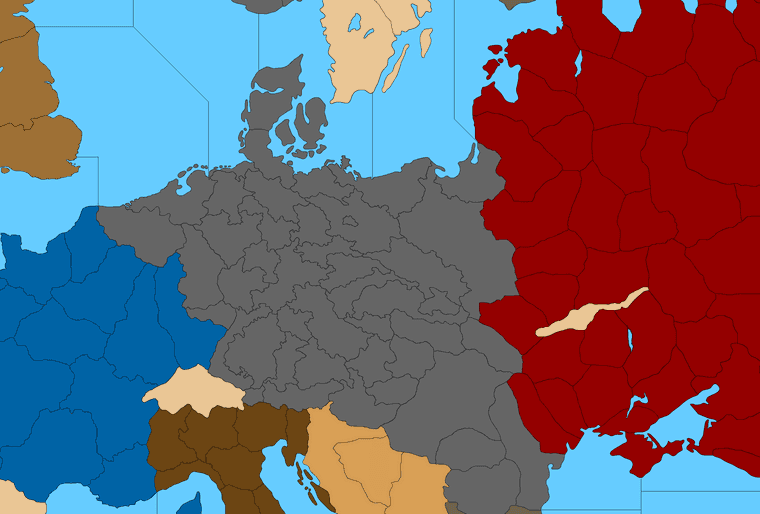
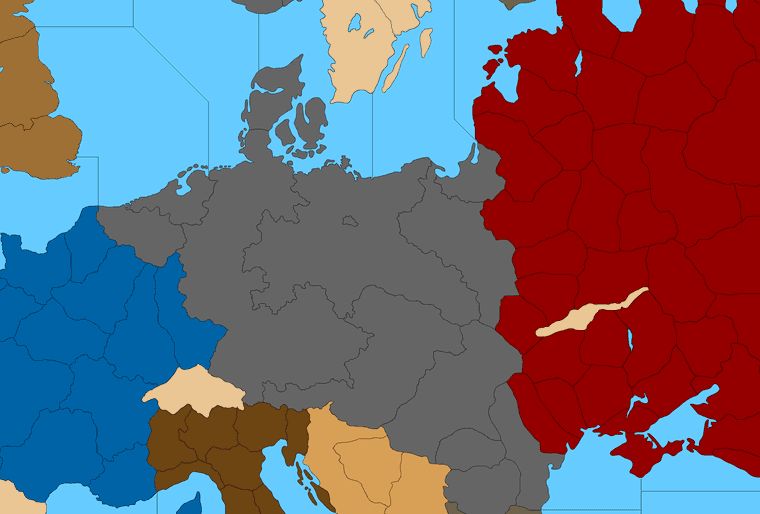
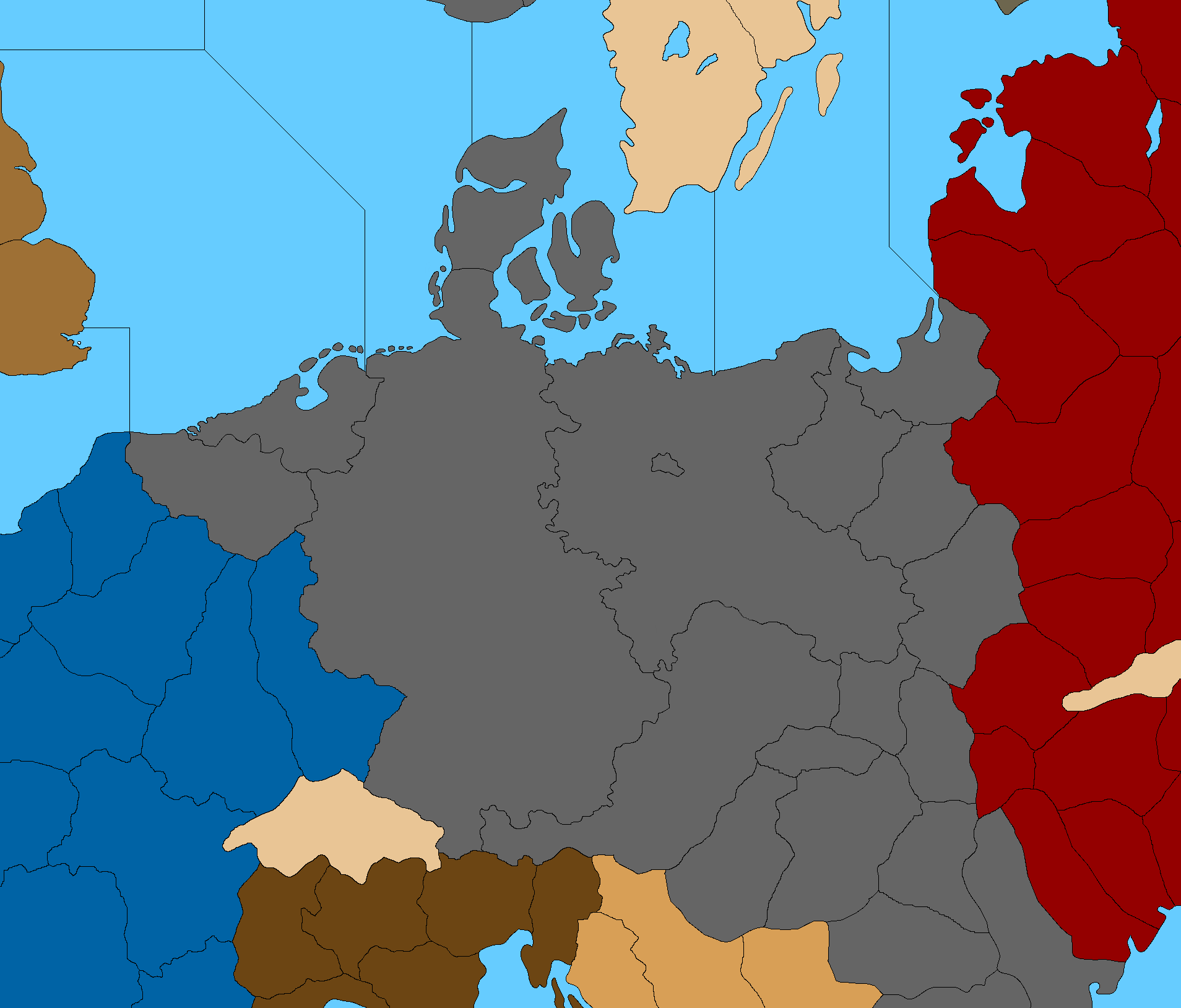
      Rework the borders between West/East Germany, Western Poland, and Greater Southern Germany (so Bohemia Moravia looks right).

      Rework Russia/Moscow. I think I need to fudge the rivers a bit for the terrain in that tile, so I can pull everything to the right without it looking too goofy and Moscow being like thousands of miles out of position. Always a perennial conundrum haha. I’d like to get some kind of tendril/TT finger reaching for the Soviet capital, just so it doesn’t look too crazy far to the East. The OOB warp is pretty extreme there, so I’m kinda tap dancing around having to bite that bullet and make necessary compromises for the gameplay.

      For the region north of the Caucasus, I’ll have to double triple check. That area where the two edges of the board meet definitely shows the most distortion OOB, and here too, like it stretches pretty hard there in some spots, so trying to adapt that was kinda tricky. If there’s weirdness I introduced, it’s probably most pronounced in that region of the world, where things had to get a bit stretch armstrong lol. For the TT shapes I figure we’ll just keep taking swings until it looks good enough for the general nod. I’ll hop back on it tomorrow.

      Appreciate the feedback!
      All the best

      Elk

      ps. OK so this is clearly overkill hehe, but just in case people wanted lines to try different things. Here are the main administrative districts and annexations for like 1939-41. So depending on how much one wanted to gobble up into a given tile for the desired look. The main challenge is that there has to be compression somewhere, or else the warp would just have Europe looking like an inset enlargement. Basically the Balkans have to tweak a bit in order to have such a gigantic Europe vis a vis the stuff next door in the Middle East and the Med and such. The practical effect here is that Hungary has to get a little stretchy in order to make Germany more coherent, like how far down one wants Silesia or occupied Poland to touch ‘Hungary’ or the part of it annexed from Slovakia for OOB stuff. Just to get the connections to hit. Poland and Belarus have some compression to make Misk and Bryansk and such roughly where the ought to be. The leftmost point of the Russia tile is where Moscow should be given the rest of the warp, but this I guess could be a case where you just sort tweak it further East and suspend disbelief to make those intermediate stack/deadzones spots big enough. In tripleA with units at 150% scale I can easily fit enough with the standard G40 divisions, for a multination army, but one might want more zone for the analog version.

      G_warp_guides.png

      So say we wanted Greater Southern Germany to include pretty much all of Austria and the stuff annexed from Czechoslovakia, and W/E break that isn’t on the Elbe, or with E. Germany just being extra beefy, might go something more like this… Then fudge it a bit in Poland to get the connections to land the same way they do in OOB. Stick a star or a flag on the Berlin spot and call it a day heheh. I guess I’d probably shift the line just a bit to the right to round out W. Germany with Hamburg or something. But just wanted to see how far I could before it hit the trip wire lol. Guess that’s more Prussia plus.

      Probably a given take no matter how ya slice it, but I can see a shape a bit more like that being kinda interesting, and more start of the war theme rather than end of the war theme heheh. Anyhow, just an idea. We could tweak the splits a few different ways depending on the desired visual/playscale.

      Different lines Germany.png

      Or just ballpark it into a block lol.

      G_Alt.png

      Or something with more that sort of vibe. Then if you want to add Danzig to the E. Germany tile can just carve it off from Posen and the current West Poland tile, though that’d make it a little different than the OOB Poland to baltic sz connect for G40.

      Or perhaps that’s what you meant initially? Like just to connect E. Prussia/Konigsberg with the main Prussian/Silesian tile?

      My thought for smaller tiles like that one is that they could drop the connection and attach the tile to the larger neighbor at a G40 playscale. So control of Konigsberg would just go to E. Germany the way say Sicily would attach to Italy in the older boards. It works in tripleA, like I was going to handle Aden and Brits in the Gulf like that, by attaching to Transjordan, but that might not be super desirable for the analog version if people might get confused about TT connections. I left the little Berlin space just to show where it was hehe

      ps. Here’s another pretty similar option for E. Germany/Greater Southern just depending on how one likes to assign the stuff taken from Czech or the shape to recast Hungary. The smaller divisions are kinda just guides, so you can tweak the boundaries for whatever makes the most sense for the given game/idea.

      Greater Southern G.png

      Sorta comes down to how skinny you’re willing to see Austria get I guess vis a vis the stuff around it heheh.

      So maybe ends up something a bit more like this after it’s rounded out…

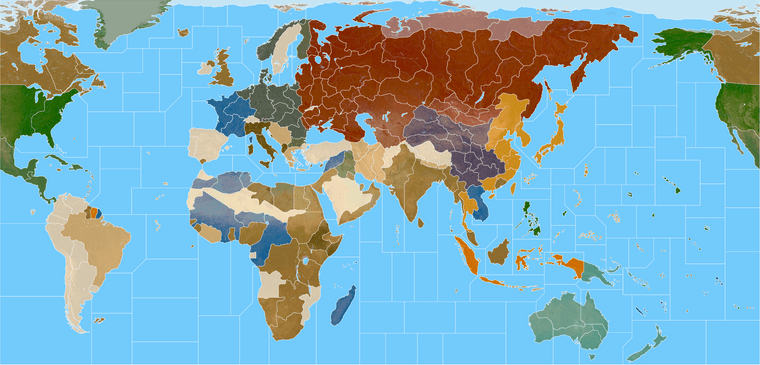
      Global paintjob 20.png

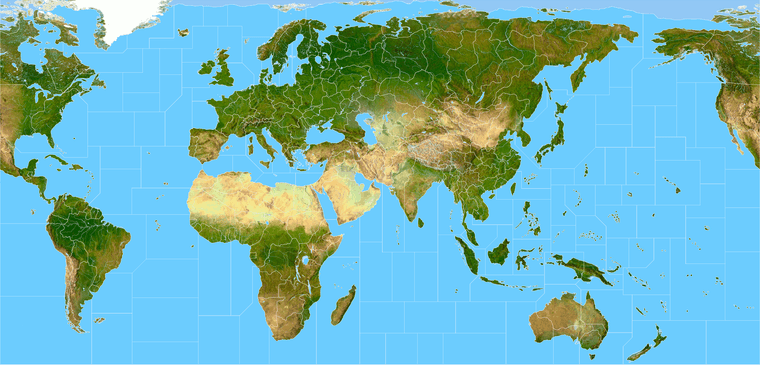
      Here’s the current Terrain with another quickie G40 overlay

      World War II Global 5px white terrain 25.png

      posted in Other Axis & Allies Variants
      Black_ElkB
      Black_Elk

    Latest posts made by Black_Elk

    • RE: New TripleA Map UHD World War II Global

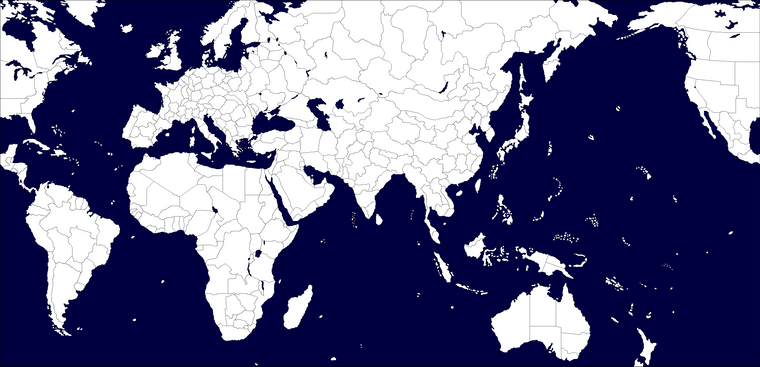
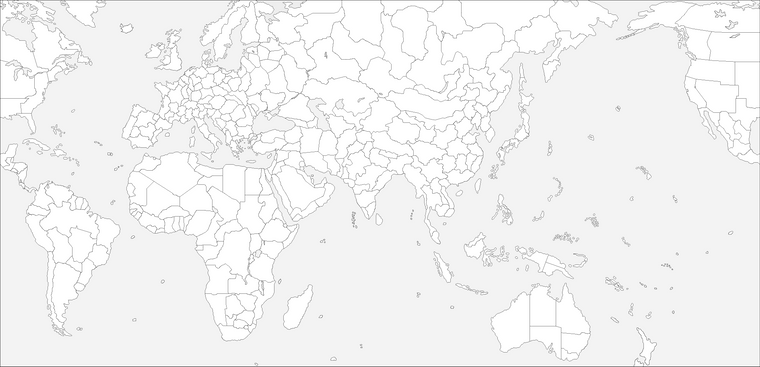
      ps. also, just since I was messing around earlier, here is Bung’s given the same treatment, morphed to 30x96 ultra wide for comparison at like 200 DPI for a quickie. I used one of those alt reliefs with a darker ocean just cause it was laying around in the folder.

      Effectively something where the entire map is about the size of a standard closet door.

      You can hold up the sculpt to the screen again between like 100% and 200% zoom to see how they’d square up there for a ballpark. For the physical sculpts I mean just to get a feel. The spacing is similar I think just with a different set of morphs for the initial map projection, more in line with the OOB look there, least for the contours.

      https://drive.google.com/file/d/1EXqtvSdyezVVctu2Ui7bfYoD-LAEvLXM/view?usp=sharing

      bungs ultra wide 96 dark ocean reduced.png

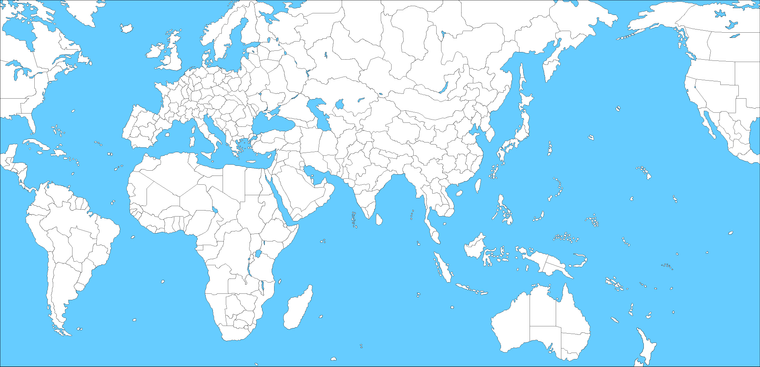
      For the UHD what I did was basically like an inverted Mercator I guess. So in the UHD the stuff around the Equator and in the Tropics is significantly enlarged, to magnify the main theaters of ops, and the stuff towards the poles is much more compressed. Then you get a similar sort of compression along the meridian that runs down the middle of board at the theater split (basically central Asia/Mid East area) where you get similar distortions. Mainly so the TT connects could strike the right way, or at least be analogous. I think that’s maybe a good way to think of it, like a funhouse backwards mirror invert on Mercator, stretchy in the middle, compressed along the top/bottom, aiming to work off the requirements of the sculpts.

      I think maybe 3 panels? That way it could also have support along a table split too, like if using 2x 6ft tables instead of a single 8 ft table.

      table comp.png

      Folded along the horizontal would probably work for like a single fold. Or 6 rigid panels basically at like 15x30 would also work.

      posted in TripleA Support
      Black_ElkB
      Black_Elk
    • RE: New TripleA Map UHD World War II Global

      @barnee Yeah exactly

      The nice thing is that the current default relief is already more or less dialed, like the opacity there is basically 100%, so I can change the color in the baselines for the ocean blue and it shouldn’t effect the display on the default. Unless the player is using map blends, in which case the hue for the blue just sorta keys off whatever is in the baseline map.

      Then for a secondary relief style, we can have an ocean which is essentially transparent, and shows the color through from the base. Probably darker or lighter than the current for that, cause map blends passes it through base at like 50% white, but whatever was going on there could be separate from the land patterns, of which I think we’d just want 2 options - A Revised style look more block colors, darker or muted ocean, or similar to the handling on A&AO where you get those lighter hues for the national colors - and then the sorta Modern post v3 AA50 style, where the battle board is more topographical with a vibe like fighting over the terrain rather than a map.

      For the OOB terrain style that color sweep is fairly dark for the topo/under-terrain and the control ownership color for overall visual is produced more by the units and roundels than anything on the map. I mean you know how it looks, a sliver of the national color along the border, but mostly it’s like mountains, trees, grass etc. There I think we’d want something more subtle than the above for a national fade to indicate the starting territories, so basically opening up towards the interior of the territories more than shown above. Like to have a transition in there from the border color into the forest/desert/tundra or whatever more at full opacity, with those national colors less pronounced.

      For that some of the default HEXs are pretty variable, like the default Russian red tends to pop a bit harder and would probably need to be knocked back a bit, till it looks cleaner next to the others. Or similarly say switching China back to be green rather than tripleA purple or whatever makes more sense for actual bits and pieces. Say the chips and roundels, the regulation naval sculpts etc. To give it a more cozy or familiar feel there. Anyhow just a quickie around that size in case you wanted to see how it might hold up stretched wide for the actual plastic and cardboard.

      posted in TripleA Support
      Black_ElkB
      Black_Elk
    • RE: New TripleA Map UHD World War II Global

      Oh also speaking of the local stuff, I just remembered that I need to update the alternative map reliefs, for those last couple adjustments. I’d held off there, being fairly convinced that another tweak would probably crop up, but I guess now that central Asia is sorted again I could bang out a couple.

      I feel like a lot of stuff can be controlled via the Hex colors in the map.props, and other features like map blends, or simply turning all the map details Off - and working up from the desired colors. Again the only thing that’s hard to customize that way is the color of the ocean blue, since for everything on Land we can just assign a new HEX color with a line of text in the map.props, but to do that for the sea zone color means either an alternative Relief map that covers over the ocean at 100% opacity using whatever specific hue, or ideally an alternative Baseline map where the blue there just shows through the Relief map, allowing the user to change that color with a single edit in an image processing program like GIMP, or PS, or Paint, like select/fill foreground color. The baseline is only 1mb, the relief is like 40 mb, so to me it just makes more sense to control that via the baseline. I’ve just been foot dragging cause matching the current default for that blue has been a bit of a chore, figuring out what exact hue of blue is needed on the base to give an identical look when it’s passed through the opacity layer. Always seem to come out a bit more muted than the current default.

      In any case I think other than the blue, I can see 2 displays that might be desirable. One that makes the board look more topographical using a full RGB topo instead of a desaturated one. And then another to basically look more like Revised (eg darker ocean color, white line boundaries etc.) I think with those 2 and the current default players could customize it their tastes fairly easily via Hex color adjustments.

      Beyond that I think an interesting challenge would be a print in physical media. Probably using graphite and prismas since I enjoy those. I’ve always been a shitty painter, but drawing I can kinda zone out hehe. So might give that a go.

      I think the optimal sizing for a physical board using this same style of projection, would aim for roughly 30 inches by 96 inches. So covering the entire surface of a standard 8 ft banquet table, or else two 6 ft tables end to end (with 2 ft of space on either) side, and having the board-split between theaters match where tables come together. Corners are almost always rounded a bit, so probably lose an inch or two on the longest side to account for that with an 8 ft table, but basically taking advantage of the 30 inch depth as much as possible, right to the edge there.

      There are King-size banquet tables with depths ranging from 36-40 inches, but nobody really has those, I mean unless it some sort of specialty event you’re just not going see those floating around much. Standard tables, and most folding tables, or whatever you’re going to find at a Target or Home Depot, those are pretty much always going to be 30 inches. Sorta industry standard there I think.

      Right now if you took the current UHD in tripleA, hit export screen and printed it out at say 200 dpi, you’d get a bord about 28 inches by about 55 inches, so essentially a 6 ft table. Going wider to 8 ft, I think gives a better stretch to use actual physical sculpts which are significantly larger than the digital sculpts relative to the map scale.

      Print would look jank since it’s not a dot map, but for a quickie it can be done using just like a regular inkjet and taping the pages together to get a vibe on it. Colors register quite a bit darker in pigment rather than light, so all the hexes are a bit of a guessing game there. Like I’d want to do a bunch of AP runs just to see at a smaller scale, but it sorta works like one might expect. Basically fiddling with the opacity of the land pattern (whichever is chosen, here it’s the topo in full color) to get something that recalls the OOB design, just with updated contours and such.

      Basically a bit like this, just using one of the reliefs I had that’s vaguely OOBish for the color design… Imagining it to basically fit the entire 8 ft and ultra wide, like stretch armstrong lol. As if it had to fit on either one of these or two of those. I think 2x 6 ft tables is optimal because then you’d have space on either side for drinks, or rolling dice or overflow panels/battle boards/extra map extension boxes and the like. You know like just using markers to associate the overflows with whatever space. Then pictured with the little cardboard roundels and such to indicate ownership changes.

      https://drive.google.com/file/d/1VnBVYJkZU3pKRtE0_rVm_W7w_2RZyFp4/view?usp=sharing

      g40 terrain print 96 inch_reduced_preview.png

      banquets.jpg

      For sculpt housing, the issue there is not so much the land but the sea zones, since those need to be fat enough to hold the pretty long and quite beefy carrier decks, along with whatever other naval units - ideally without chips under ships, least for the starting set ups.

      Everywhere on the OOB board where we get the heavy distortion most of that is to make the sea zones sufficiently large to house the naval sculpts. The ground units and aircraft are smaller and easier to fit since they’re rarely much larger than a chip. But some naval units can be 2, 3 almost 4 chips in length, so they need a lot of room and blockier tiles to fit well. I think it just about works if doing a stretch extra wide, because that buys precious extra inches, especially in the sea zones, but really across the whole board.

      So why you get that sorta switch from a convex shape on Africa to a concave shape, in order to make the Med very large. Or the contortions on Europe to make the Baltic as large as possible, or how some stuff tilts to create that telescoping effect around Europe and the Pacific we see in OOB, stuff like that.

      You can ballpark it by doing say a 100% compared to 200% zoom and just holding the sculpt up to the screen to see it roughed out. There are few tight spots, but usually those are next to a neutral overflow type area where ships can sorta breach into say Sweden or Arabia, the way we tend to do when space is at a premium. But then another easy option is to say put a row of generic boxes along the top of the board, or a production counter or tech counter along the bottom, things of that sort, but I think ideally you’d just run it right to the edge and have those as separate float panels. Especially since the sides could be extended more easily than the depth. Even still, you could cut in I think a couple inches on either the top/bottom and not be losing too much.

      For morphs if anything, I’d probably just stretch South America slightly so it reaches further south so more closely mirror the reality, but otherwise I think the telescoping works reasonably well, with fewer tilts needed to make it all work. Downside is that the sea zone geometry is invariably going to look slightly different doing that, but that’s the trade off trying to get the contours of the landmasses to have a bit more fidelity. I mean there’s only so many things one can do to make Europe and Japan all extra jumbo without losing something else along the way, but seems to work alright as a compromise.

      For something like that I think it would be fun to use the baseline projection as an actual stencil, blow it up to life size and then do a mock up in prisma color on something like bristol board, and carry it the rest of the way from there. If I ever get up the juice, and enough ink to mess around lol

      posted in TripleA Support
      Black_ElkB
      Black_Elk
    • RE: New TripleA Map UHD World War II Global

      @pacifiersboard you should be good I think, since all the graphics are local to the individual user. I wouldn’t expect it to kick off any errors unless it’s a different xml/gamesave. So far example, you can customize your own units or flags in those local folders, and they’ll show up that on your screen with whatever you put in there, but on the opponent’s screen display as whatever graphics they have in their own local folder. Or you can customize them to other stuff, as long as the labels match what’s in the standard game. You can also change the Hex colors around for the different nations in your map.properties locally, so people can choose the colors they like that way.

      I was trying to play it using a few different views, a high vibrancy sorta hi fi for the default, but then if you want to punch up the contrast between the units and the map, or use the standard tripleA G40 units, those may look closer to the tints using either map blends or some lighter Hex colors for the nations. Also if you like a more simplified revised-style look, can click all the map details to off in the view options, and it will sorta time warp the look of the thing back to the way tripleA in the aughts hehe. Like with like no relief - just sorta bare bones. With map details off that way, the max zoom out before some of the sz border lines start to breakdance is about 50% I think, but should hold to at least that scale. 60% mapview I think should be good to go for whatever.

      For the flags/pucks that show in the UI those will scale depending on Font size you have set for the main display on computer, so when I use tripleA at 1440 or 1600p I have to upscale my Font to either 125 or 150% for some of those images to look good at that higher resolution scale. Basically just tried to do what I could to go from the older 4:3 sorta display to something that’d work with the super zoom or a wider stretch there, but for the units those are all sorta set by the standard dimensions from when tripleA was first made. 54 was as tall as it would let me go before they started clipping at the top/bottom of the UI windows. Flags were sorta the same, like with a hard ceiling there for how it was set up initially for the stats I guess.

      The larger flag pucks for units were somewhat harder to center, sometimes they’d cover over a bit or be like dead center behind the tank. Just sorta depends on how beefy the unit is. What would be cool is if the units could go extra large like the same way the map can super zoom in 2.7 and then position the flags or roundels around them, but not sure if that’s likely to happen any time soon. As I recall that was the main reason for going with something about 11000x5000 px just so that the units we had available wouldn’t look too tiny relative to the size of the map, but I think something slightly wider and just a bit taller might be cleaner for the 200% zoom in thing. Might try for a sping project if I can get up the juice. But meantime hopefully it’s not too hard to tweak around. Let me know if you hit a snag, we can probably figure it out.

      Best
      Elk

      posted in TripleA Support
      Black_ElkB
      Black_Elk
    • RE: New TripleA Map UHD World War II Global

      For sure!

      To do that you can go into your downloaded tripleA maps to the World War II Global folder, and copy over the Units folder to the UHD to use the larger map with the OOB units. Or vice versa. Should just be like a plug and play there. Or similarly you could copy over the flags and such. The final display for those graphics will show them slightly smaller since the vanilla units are 48 px tall and square, whereas the UHD are 54px tall and up to 96px wide. The placement of the units relative to each other should worth fine though, since it’s keying off the larger sizes you shouldn’t see like overalaps or anything I wouldn’t think. You can upscale the units a little bit too, I think I have a set somewhere where all the 48 pxers are enlarged via a batch edit to 54px, keeping the graphics the same but just enlarging them manually instead of inside tripleA. Right now the limit for unit view is 125% but for the 48px units from standard tripleA I think we’d want something more like 150%-200% to match the zoom. It definitely should work though even with the regular units just dropped in. Especially since they’re more familiar it’d likely be easier to spot em at the slightly reduced scale.

      Let me know if that worked for ya, and have a blast!

      posted in TripleA Support
      Black_ElkB
      Black_Elk
    • RE: League General Discussion Thread

      Oh wow! I only just caught this right now. I get the email push sometimes. Knew it had made the rounds here and there, but league action is next level! That’s badass! Hopefully got all the connects sorted now, but if not, I guess I’ll find out real soon hehe

      Yeah I think it should like totally work with all the BM right? Cause the stuff simon33 mentions for balanced mod I just ported straight from the standard G40. That was the hope at any rate, that it would function the same way, just with a bit of a glow up for 20 yr anniversary tripleA, but still working for Balanced Mod, or Oztea’s or any of the standards. Anything like that based off the main game, cause for the main XML basically just the same thing going on as vanilla. Plan was to a quick flip version that would work also for some of the 2.7 features, and also to get the map blends working. Like so the sea zones lines and such wouldn’t break when zooming in/out. I think there’s a quick skin for Revised style colors too, or to blank the terrain or switch to a pattern if some of that is distracting. Or just to snap up the unit art and throw them into the regular G40 folders, if peeps just wanted those Frostion digi sculpts tinted out for National Colors. Kept the labels the same so should be able to plug em in that way if desired. Some of it’s a little wonk for the map, like the Aden/Trucial States getting attached to a nearby tile. I think for an easier read, could probably just do a neutral thing like there like OOB if it makes more sense, or like if one wanted to the same for Sakhalin or any of those additions for stuff that’s cosmetic. The TT connects are the same as vanilla, since that was the XML used, so I think that’s just like one line in the polygons txt to do a quick switcheroo for any TT like the stuff around Arabia.

      I think the next step if it works well, would be to upscale to from 11110 px to 16000 px and do a slightly larger relief, since I have the topo-under map ready at that scale. Just takes some time to go back over the lines for the borders and such to do the two tone thing, or for the highlight effect in tripleA when a territory or sz is selected. I’m running GIMP on gaming laptop, which works fine for 1080p gaming but kinda lackluster for image editing, so sometimes it lags hardcore when the map is really large, so trying to reduce the number of layers I need to make it work, before going jumbo again. I think it’d be simpler now, since the hardest part was trying to do all the morphs to get it aligned with OOB.

      Sorry, been super MIA for ages it feels like. Got some RL tethers trying to help get the fam sorted, so I’ve been super light footprint. 2025 already! Time travelers paradox, good to see the old crew still rocking!

      Good gaming all!

      posted in League
      Black_ElkB
      Black_Elk
    • RE: OOB Oysteilo +40 v Gamerman01 with tech - UHD map

      Oh damn good lookin’ out

      OK here are the drive links with all the corrections made to the tile folders and the polys. I think Bill knows the drill, but should just be able to slide in the base and relief tile folders.

      What I did was just to stretch Yenisey then hit the surrounding area with a bit of blur so it wouldn’t look to jank. Sorta best I could swing on short notice so I wouldn’t have to rework to much. Hopefully does the trick. I was a space cadet that first time, I mean I remember trying to fix the Novos-Kansu border so maybe that’s where I goofed zoning out. Who knows but good catch all the same! :)

      Give the gang my best too! I’ve been out of town for ages. Took me a while to dig up my login here heheh

      UHD map fix

      https://drive.google.com/file/d/17NrUP1SFxKZsnQaNDnvhQk_qxtwomYEh/view?usp=sharing

      Then I did the same for that other map UHD Boxes Expansion fix so they’d match up. Same deal there, it has the tiles already run through the breaker, but I threw the single images in too, like same thing you’d get from running the tile-reconstructor just in case. Called the zip Boxes for short.

      UHD Exp Boxes

      https://drive.google.com/file/d/1_e54Q9_CnCBC9dl2LEfXuTWGHvHGk-5p/view?usp=sharing

      Let me know if it does the trick for ya

      Best Elk

      Screenshot 2025-01-05 152429.png

      posted in League
      Black_ElkB
      Black_Elk
    • RE: SuperbattleshipYamato (Navies) vs VictoryFirst (Armies), Armies vs Navies, a Global 1940 Second Edition variant

      @VictoryFirst

      I hacked together a quick fix for you guys for sz 64/65. Posted it to the thread. Let me know if she does the trick. Just need to replaced the BaseTiles and ReliefTiles folders with those updated ones and add in the Polygon txt for the new shapes.

      I can copy over the changes to the expansion boxes map when I get back to my house in a couple days.

      Thanks again for hunting these down! Tough one to spot right there for sure. Appreciate the extra sets of eyes hehe

      All the best

      Elk

      posted in Play Boardgames
      Black_ElkB
      Black_Elk
    • RE: New TripleA Map UHD World War II Global

      @barnee @VictoryFirst

      Here is the update for sz 64/65. Probably gave me the slip cause it’s harder to see the map wrap in GIMP. I just hacked in a couple lines, hopefully passes muster.

      Looks like so

      screen.png

      Here is a zip folder with a BaseTiles and ReliefTiles folders updated (already run through the tile breaker.)

      https://drive.google.com/file/d/1nqernvZtD8MYOstgAblw8DDZ4Hrk4JLb/view?usp=sharing

      Here are the Base and Relief as single images

      Base
      https://drive.google.com/file/d/134oogwEtlLW1kkHR_zvvXJCpDtUxiDzH/view?usp=sharing

      Relief
      https://drive.google.com/file/d/1zRi0q7AqTQrHfCikDEnW1aAw5J5QRe0Y/view?usp=sharing

      Here is the Polygon txt attached below

      polygons.txt

      Let me know if that works for ya. I’m pinballing around at the moment, but I can update the other boxes map/polys on Friday. Or you can just copy/paste that section over from the UHD if you need it before then.

      Thanks again for helping me catch all these damned connection goofs lol. Hopefully we nailed em all! Good work gang

      posted in TripleA Support
      Black_ElkB
      Black_Elk
    • RE: SuperbattleshipYamato (Navies) vs VictoryFirst (Armies), Armies vs Navies, a Global 1940 Second Edition variant

      @VictoryFirst

      Good catch! Probably easiest is to angle and drop the line off Peru to comes down. Should be a simple enough fix to the baseline, I just need to cutout the new line in the relief. I’ll try to get it sorted by the weekend

      posted in Play Boardgames
      Black_ElkB
      Black_Elk